Revoicers: Vocal Remover and Audio Splitter App

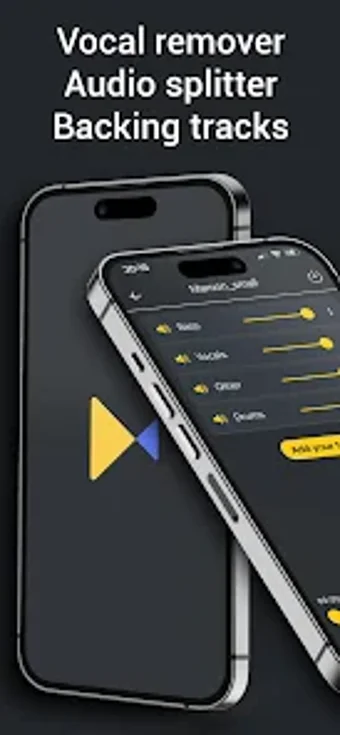
Revoicers, a free multimedia mobile application developed by Revoicers, allows you to remove vocals and instruments from any song or video. This app offers advanced AI-based technology that enables users to create personalized backing tracks for their performances, rehearse songs by removing vocals, or even incorporate their own voice into the music they're practicing. Moreover, this app can also be used as an audio splitter or audio extractor, allowing you to split songs or videos into individual tracks such as drums, guitar, bass, keys, and more.

Top Recommended Alternative
Revoicers is perfect for karaoke enthusiasts who want to remove or replace vocals and instruments in songs or videos. It also helps video creators to remove background noise from recorded videos or audios, musicians to isolate specific instrument tracks or vocals, and anyone who wants to practice songs by removing vocals and incorporating their own voice. This app supports various file types such as MP3, WAV, FLAC, MP4, MOV, and WMA. Upgrade to Premium and enjoy an ad-free experience, karaoke creation and recording, expanded instrumentation, extended file duration, and amplified file size.


 0/1

App specs

  • License

    Free

  • Version

    3.1.2
  • Latest update

  • Platform

    Android

  • OS

    Android 15.0

  • Language

    English

    Available languages

    • English
    • Russian
    • Portuguese
    • Italian
    • Polish
    • Spanish
    • Korean
    • Hindi
    • French
    • Chinese
    • Japanese
    • Turkish
  • Downloads

    264

    Last month's downloads

    • 5
  • Size

    69.08 MB

  • Developer

  • Download Options

    APK, Google Play

  • Filename

    com.revoicers_3.1.2.xapk

Program available in other languages


User reviews about Vocal Remover Audio Splitter

Have you tried Vocal Remover Audio Splitter? Be the first to leave your opinion!

Add review

You may also like

Alternatives to Vocal Remover Audio Splitter

Explore Apps

Latest articles

Laws concerning the use of this software vary from country to country. We do not encourage or condone the use of this program if it is in violation of these laws.
Softonic

Is Vocal Remover Audio Splitter safe?

100/100

Score result: Clean

This file passed a comprehensive security scan using VirusTotal technology. It is safe to download.

  • Virus free
  • Spyware free
  • Malware free
  • Verified by Security Partners

    VirusTotal logo

Scan Info

Last scan
Thursday, January 22, 2026
Scan provider
VirusTotal · Full report

File Integrity

File
com.revoicers_3.1.2.xapk
SHA256
e36eabcb54660ba91fe87fba3dee943077a830df1c59c521754cf25736111ddd
SHA1
643690a93568775323c629db77e23228b373d446

Softonic security commitment

Vocal Remover Audio Splitter has been thoroughly scanned by our advanced security systems and verified by industry-leading partners. This file comes from the official developer and has passed all our security checks, showing no signs of viruses, malware, or spyware. For more information, visit our Security and Trust Center